View Press Release
FOR IMMEDIATE RELEASE

City of Duluth - Police Department
Mike Ceynowa, Chief of Police
2030 North Arlington Avenue • Duluth, Minnesota 55811 • www.duluthmn.gov
2030 North Arlington Avenue • Duluth, Minnesota 55811 • www.duluthmn.gov
For more information contact:
Public Information Officer, Mattie Hjelseth at (218) 730-5434 or mhjelseth@duluthmn.gov
Public Information Officer, Mattie Hjelseth at (218) 730-5434 or mhjelseth@duluthmn.gov
DATE: 12/10/2014
SUBJECT: Theft of Cell Phone and Electronic Device Prevention Tips
BY: DPD Public Information Officer Ron Tinsley (218) 730-5722
NATURE OF INCIDENT: Theft of Cell Phone and Electronic Device Prevention Tips
CASE NO.:
INCIDENT DATE: 12/10/2014
INCIDENT TIME:
INCIDENT LOCATION: Duluth, MN
SUBJECT: Theft of Cell Phone and Electronic Device Prevention Tips
BY: DPD Public Information Officer Ron Tinsley (218) 730-5722
NATURE OF INCIDENT: Theft of Cell Phone and Electronic Device Prevention Tips
CASE NO.:
INCIDENT DATE: 12/10/2014
INCIDENT TIME:
INCIDENT LOCATION: Duluth, MN
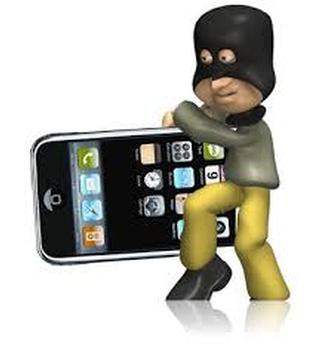
Cell Phone Theft Prevention Tips
- Be Aware. Know your surroundings and be cognizant of your smartphone use behavior. Similar to your purse or wallet, it's best to not call attention to your smartphone and create an opportunity for a thief to steal it (e.g., leave it on a restaurant table, use it while walking or taking public transportation, allowing strangers to "borrow" it to get directions, etc.). By knowing your surroundings, you may protect your smartphone from being lost or stolen.
- Lock It. As soon as you get a new smartphone, set a hard to guess password to protect your device and change it on a regular basis.
- Add Apps. There are a number of apps available that will remotely track, lock and/or erase your smartphone. In addition, some apps will remote trigger an alarm so people know that smartphone is stolen or take a photo of the thief so you can send it to police. By adding these apps now, in the event your smartphone is stolen or lost, you're personal information will be protected.
- Save It (Again). If you have photos, emails, contacts, videos or anything else that you want to make sure is available if your smartphone is ever lost or stolen, save it somewhere else such as a computer, USB drive or cloud service. It's always a good idea to have a backup copy.
- Insure It. If you are prone to losing things, you may want to consider insuring your device through your wireless provider or a third party entity so that if it is lost or stolen, your replacement device is covered.
If your smartphone is stolen:
- Report It. If you know your smartphone is stolen, immediately notify your wireless provider so you can avoid incurring charges on the usage. Also report your smartphone stolen to your local police department. Let them know what tracking or other kinds of apps you have installed that may help them locate the thief.
- Locate it. Your safety should always be your number one priority so you should never attempt to recover your smartphone on your own. But since you've already installed apps that can remotely track your smartphone, activate the app from a safe location. In addition to tracking, remote lock your smartphone so the thief cannot access your personal information.
- Erase It. If you have sensitive information, such as financial, health or work, or you believe your smartphone won't be returned, it's best to remote erase, or "wipe" it. Essentially, wiping your smartphone is similar to resetting it to its default, or factory installed settings. If you stored any passwords on your smartphone, it's a good idea to change them.